Milk Clicker
Click Your Way to Dairy Domination





About This Game
Milk Clicker is an idle clicker game created by -SocksNSandals- on Scratch that stands out from the crowded clicker genre with its polished presentation. While most Scratch clicker games rely on simple graphics and basic mechanics, Milk Clicker features smooth particle animations that spray across the screen with each click, a catchy background soundtrack that keeps you in the zone, and a clean upgrade interface that makes progression feel satisfying.
The gameplay follows a straightforward but well-tuned loop: click the milk carton to earn points, then invest those points into upgrades that boost your click power or purchase auto-clickers that generate passive income. The balance between manual clicking and automation is well calibrated — you always feel like active clicking matters, but the auto-clickers provide enough passive income to keep progress moving during idle moments.
One notable feature is the game's compatibility with TurboWarp, a Scratch performance optimizer. If you experience lag from the particle effects (which can pile up during rapid clicking sessions), switching to the TurboWarp version at turbowarp.org/945005560 provides a much smoother experience while keeping all the visual flair intact.
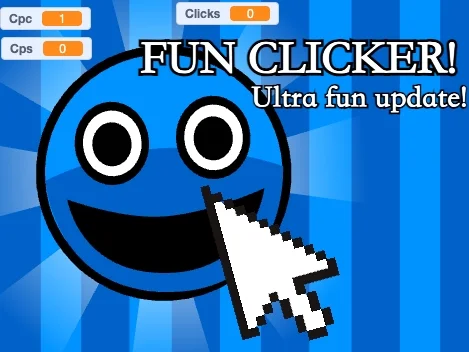
Milk Clicker may not have the narrative depth of Fun Clicker or the scope of Planet Clicker, but it excels at being a pure, satisfying clicker experience with production values above what you typically expect from Scratch games.
How to Play
Click Milk
Click the milk carton to earn points — particle effects spray with each click
Click Upgrades
Buy upgrades to increase the number of points earned per manual click
Auto-Clickers
Purchase auto-clickers that generate points passively every second
Strategy Guide
The most efficient early-game strategy is to spend your first 100-200 points on click power upgrades rather than auto-clickers. Click upgrades have a lower cost-per-point ratio in the early stages, and your active clicking speed makes them more immediately impactful.
Once click upgrades start getting expensive (usually around the 500-point mark), shift your spending to auto-clickers. Each auto-clicker generates consistent passive income that compounds over time. The goal is to build enough passive income that you can step away and come back to a healthy point balance for the next round of upgrades.
The mid-game sweet spot is having enough auto-clickers to generate meaningful passive income while still benefiting from manual clicks during active play. Aim for a ratio where your passive income covers about 50-60% of your earning rate, with active clicking making up the rest.
If the particle effects cause lag during intense clicking sessions, switch to the TurboWarp version. The performance improvement lets you click faster without frame drops, which directly translates to more points per minute.
Game Features
Particle Animations
Satisfying milk particle effects spray across the screen with every click
Dual Upgrade System
Invest in click power for active play or auto-clickers for passive income
TurboWarp Compatible
Play the optimized TurboWarp version for smooth performance during intense sessions
Polished Presentation
Catchy soundtrack and clean UI that sets it apart from typical Scratch clickers
Why We Love It
In a sea of Scratch clicker games that all look and feel the same, Milk Clicker genuinely stands out. The particle animations add a layer of visual satisfaction that most clicker games lack — there is something deeply gratifying about watching milk splash across your screen with every click. The background music keeps the energy up without being annoying, and the upgrade balance is tight enough that you always feel like you are making meaningful progress. It is a reminder that even within a simple genre, polish and attention to detail matter.
Pro Tips
- 💡Prioritize click upgrades first, then transition to auto-clickers around 500 points
- 💡Use the TurboWarp version (turbowarp.org/945005560) for smoother performance
- 💡Balance between click upgrades and auto-clickers for maximum efficiency
- 💡Let auto-clickers run while AFK, then spend the accumulated points on upgrades when you return
- 💡Rapid clicking during particle effects may cause lag — TurboWarp fixes this
Frequently Asked Questions
How do I progress faster in Milk Clicker?▼
Start by investing in click power upgrades until they cost around 500 points, then shift your spending to auto-clickers for passive income. The most efficient approach is maintaining a balance where active clicking and passive auto-clickers each contribute roughly half of your total earnings. Always buy the cheapest available upgrade for the best cost efficiency.
Is there a TurboWarp version of Milk Clicker?▼
Yes! If you experience lag from the particle effects during rapid clicking, you can play the optimized TurboWarp version at turbowarp.org/945005560. TurboWarp runs Scratch projects with better performance, which is especially helpful for Milk Clicker since the particle animations can stack up during intense play sessions.
What makes Milk Clicker different from other clicker games?▼
Milk Clicker stands out from other Scratch clicker games through its polished presentation: smooth particle animations on every click, a catchy background soundtrack, and a clean upgrade interface. While the core clicker gameplay is familiar, the attention to visual and audio detail is above average for the platform.
Does Milk Clicker have idle/offline progress?▼
Milk Clicker supports idle progress through its auto-clicker upgrade system. Once you purchase auto-clickers, they generate points passively while the game tab is open. However, like most Scratch games, progress is not tracked when the browser tab is closed.
Who created Milk Clicker?▼
Milk Clicker was created by -SocksNSandals- on Scratch. The game has gained popularity for its polished visuals and satisfying clicker mechanics. You can find the original Scratch project and the creator's other projects on their Scratch profile.
Can I play Milk Clicker on mobile?▼
Yes, Milk Clicker works on mobile browsers through Scratch's embed player. The clicking mechanics translate well to touchscreens. However, the particle effects may cause performance issues on older mobile devices — in that case, try the TurboWarp version for better performance.